








Ask without leaving your work.

Press one shortcut and Lutin appears over the app you are using. Ask a question, look something up, compare options, or draft a response. When you are done, Lutin steps aside.

Download for Mac
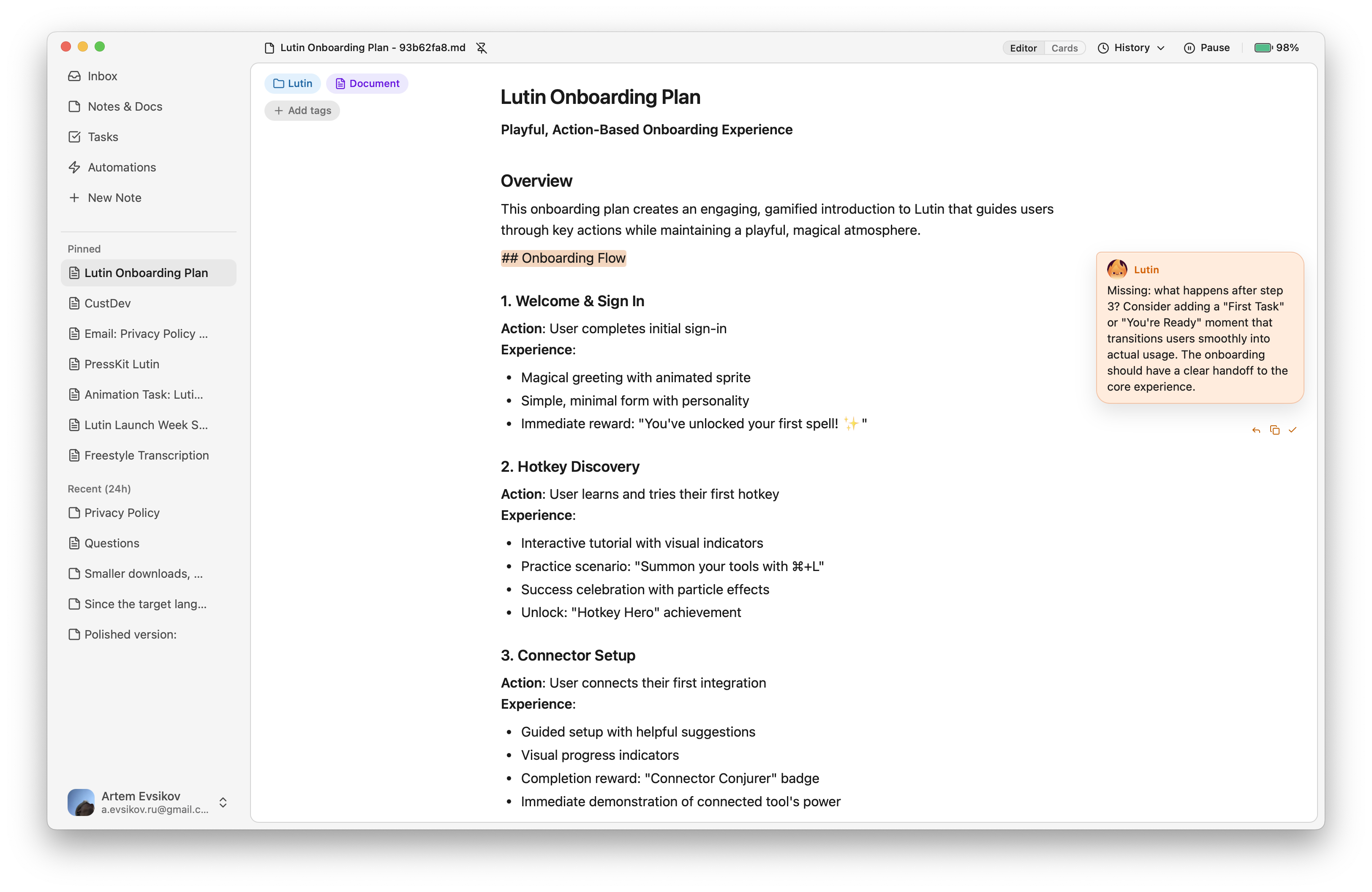
Lutin for Mac showing an editable document with the assistant and activity feed
Lutin appearing beside the work already on screen.

One shortcut away

Bring Lutin to the screen you are already using.

Open the assistant without turning a small question into a separate browser-and-chat workflow. Appearing over an app does not grant access to that app's contents; you choose what context to provide.

Keep the quick result.

Save a compact fact, list, summary, or transformation without leaving it buried in chat.

Note · just now

Keep

Turn useful output into editable work.

Continue in a Markdown Note or Document, then organize and refine it without starting over.

Frequently asked questions

Can Lutin replace the Command-Space shortcut used by Spotlight?

You can assign Command-Space to Lutin after disabling that shortcut for Spotlight in macOS settings. Lutin is an AI assistant, not a replacement for every Spotlight file and app search feature.

Does Lutin automatically read the app underneath it?

No. Opening Lutin over an app does not by itself give Lutin that app's contents. Provide or attach the context you want it to use through the controls supported by the current release.

Can I keep a useful answer?

Yes. Substantial output can become an editable Note or Document instead of remaining only in chat.

Lutin for macOS

Put an assistant one shortcut away.

Download for Mac