








Ask without switching apps.
One shortcut brings Lutin over the app you are already using. Ask a question, compare a few options, look up current information, or draft a reply. When you are done, Lutin steps aside.
Learn moreLutin is an AI assistant with a built-in Markdown editor. Open it over the app you are using to ask questions, look up current information, and turn useful answers into notes and documents you can keep editing.
Download LutinOne shortcut brings Lutin over the app you are already using. Ask a question, compare a few options, look up current information, or draft a reply. When you are done, Lutin steps aside.
Learn moreArchives spam and promotional emails automatically
Start when Gmail received
Check email is spam, promotional, or non-actionable
Then archive and mark as read
Detects commitments and creates task notes
Start when you send a Slack message
Check message contains a commitment or promise
Then extract commitment to task
Messy inbox, forgotten follow-ups, scattered files — Lutin sorts it out. He keeps track of what you promised, organizes your tasks, and makes sure nothing falls through the cracks.
Michael Scott
McLovin
Dunder Mifflin
dundermifflin.slack.com
Party Planning
party-committee.slack.com
Threat Level Midnight
tlm-prod.slack.com
Michael Scott
Connect Gmail, Slack, and Google Calendar in one place. Personal and work connections stay visible as separate accounts, so you can see exactly what is connected.
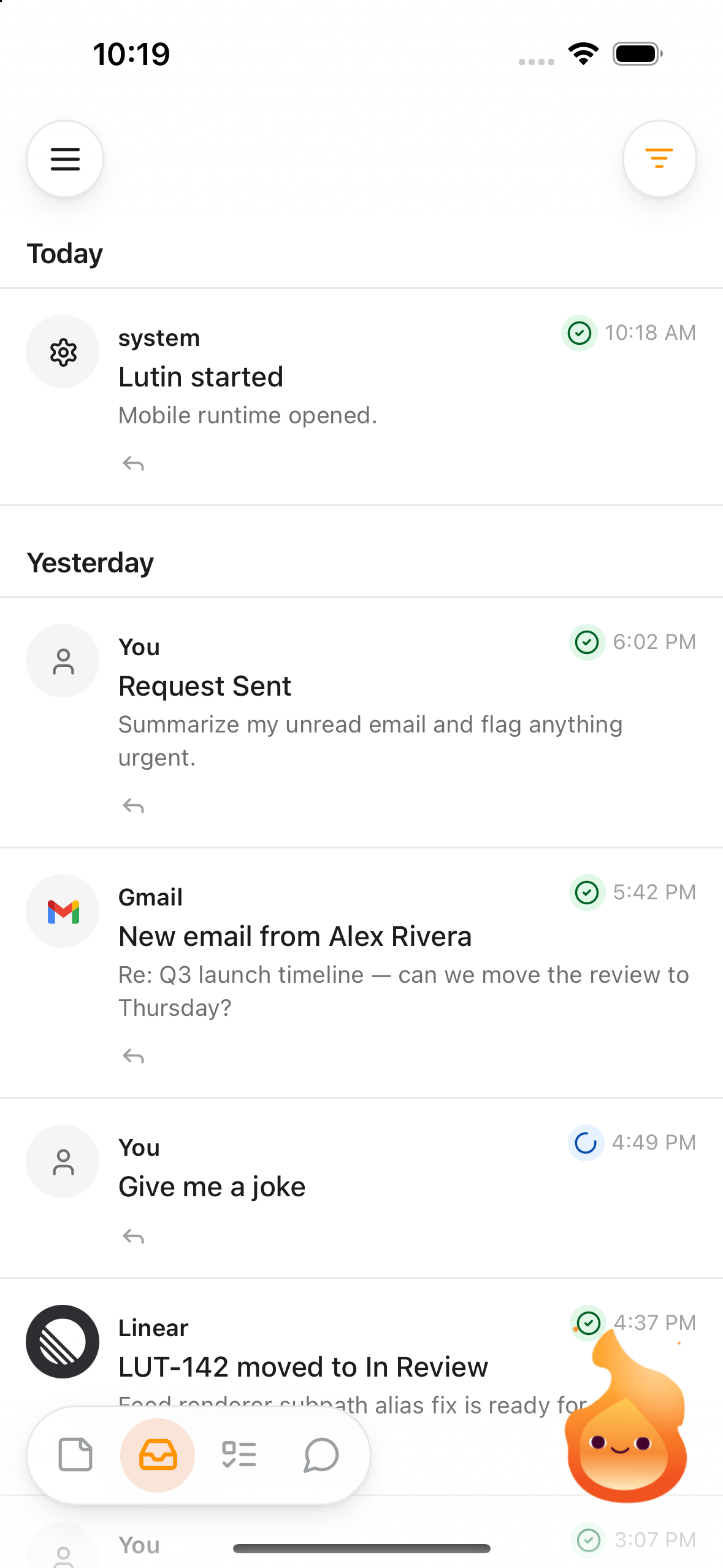
Ask from your iPhone, review your feed, and keep notes, tasks, and synced work moving when you are away from your Mac.
Learn moreToday
 You
YouArtem
Your context, relationships, and routines
Usually does focused work in the morning.
Prefers short, practical updates.
 Place
PlaceHome in Cyprus
The place where you live
 Plant
PlantMonet
Your monstera
Lutin can remember people, places, projects, preferences, and details that make future help more relevant. When a mention is unclear, it can show what it noticed and ask how it relates to you instead of quietly treating a guess as fact.
Learn moreShort conversation can stay in chat. Substantial answers, drafts, summaries, and other useful output can become editable Markdown Notes and Documents that you can keep working on.
Learn more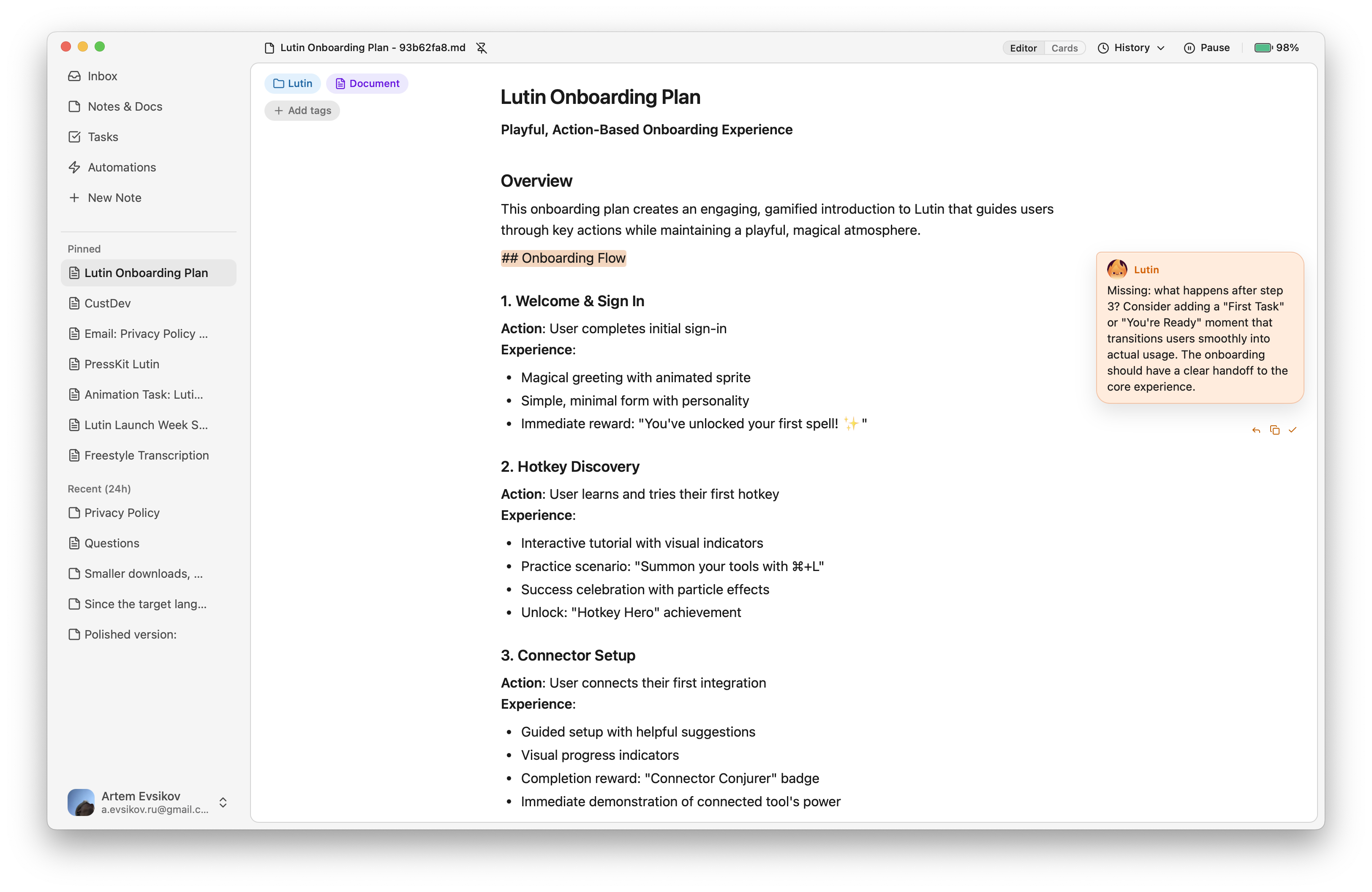
Choose the plan that fits your workflow.
macOS 14.6 (Sonoma) or later for now. Other desktop and mobile platforms are coming later in 2027.
You don't have to pay us straight away. You can even bring your own API key and never pay us at all.
Yes, all data remains local on your computer. We do gather some analytics to fix bugs and improve Lutin.
Yes! Go to Settings, select "Choose your own provider account", pick your provider and model, then paste your API key. Keys are stored locally in the macOS Keychain, so don't worry about safety.
Follow this article.
Not yet, but if you text me what setup you use, I'll make sure to bring it into the Lutin app.
Any other questions? Email me at [email protected], join Discord or ask me on X.
Download Lutin and try it with the next question in front of you.
Download Lutin