









Quick Setup
Step 1: Install Lutin
Download from lutinapp.com and follow the macOS installation prompts.
Step 2: Free up Command-Space in macOS
Open System Settings -> Keyboard and click Keyboard Shortcuts…
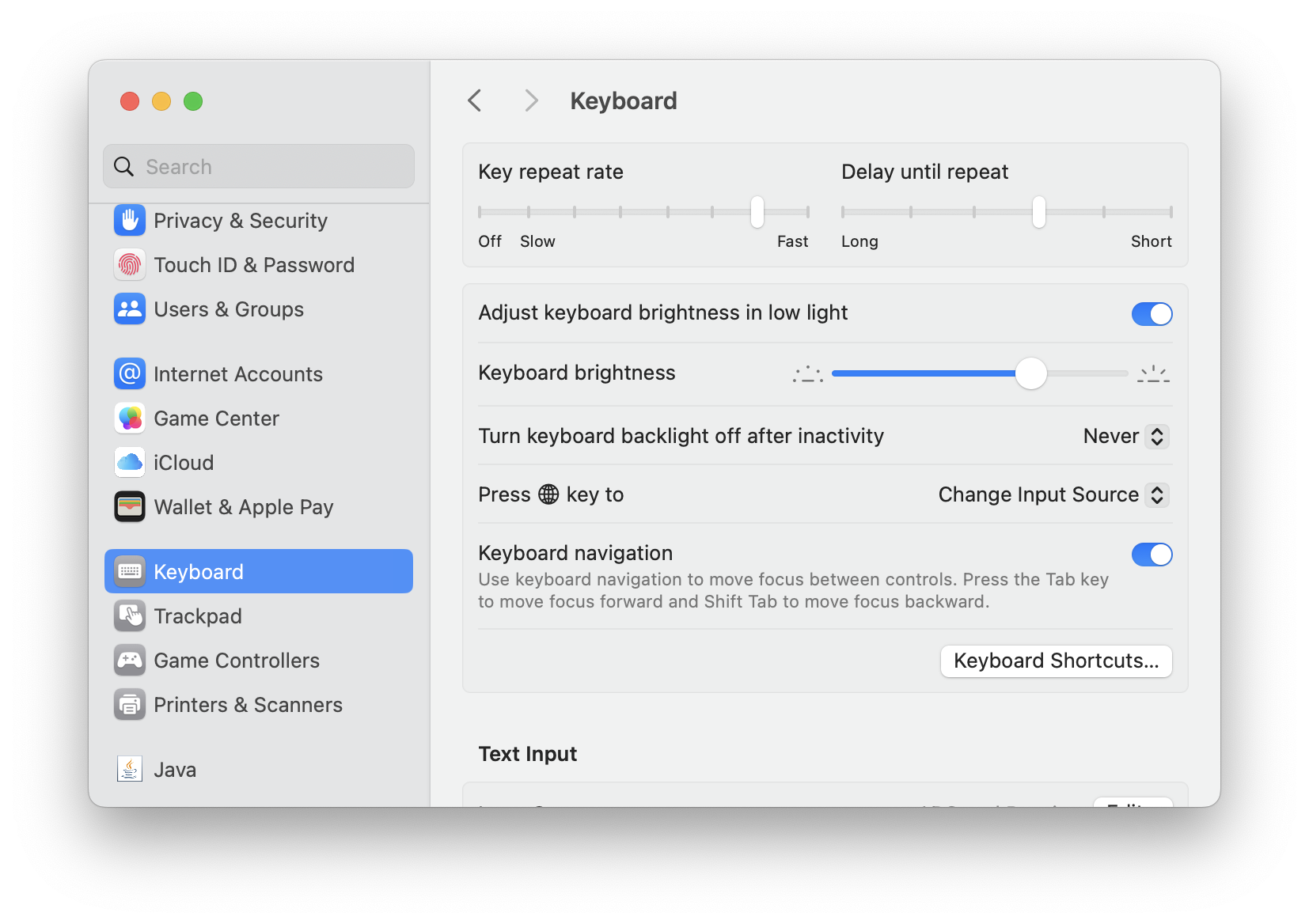
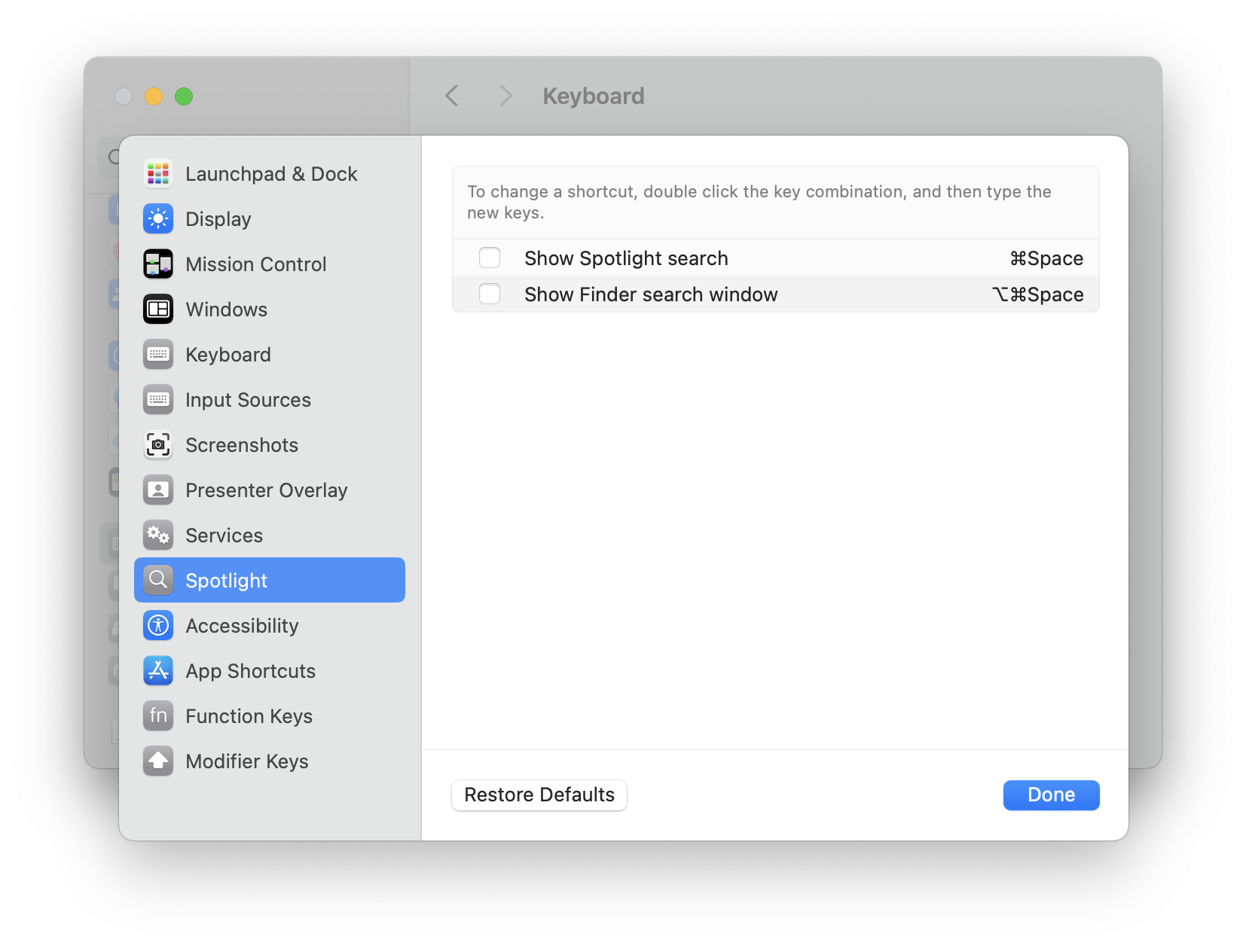
Select Spotlight on the left, then uncheck Show Spotlight search to release Command-Space.
Step 3: Assign Command-Space to Lutin
Open Lutin Settings -> Shortcuts and set Activate Lutin to Command-Space.
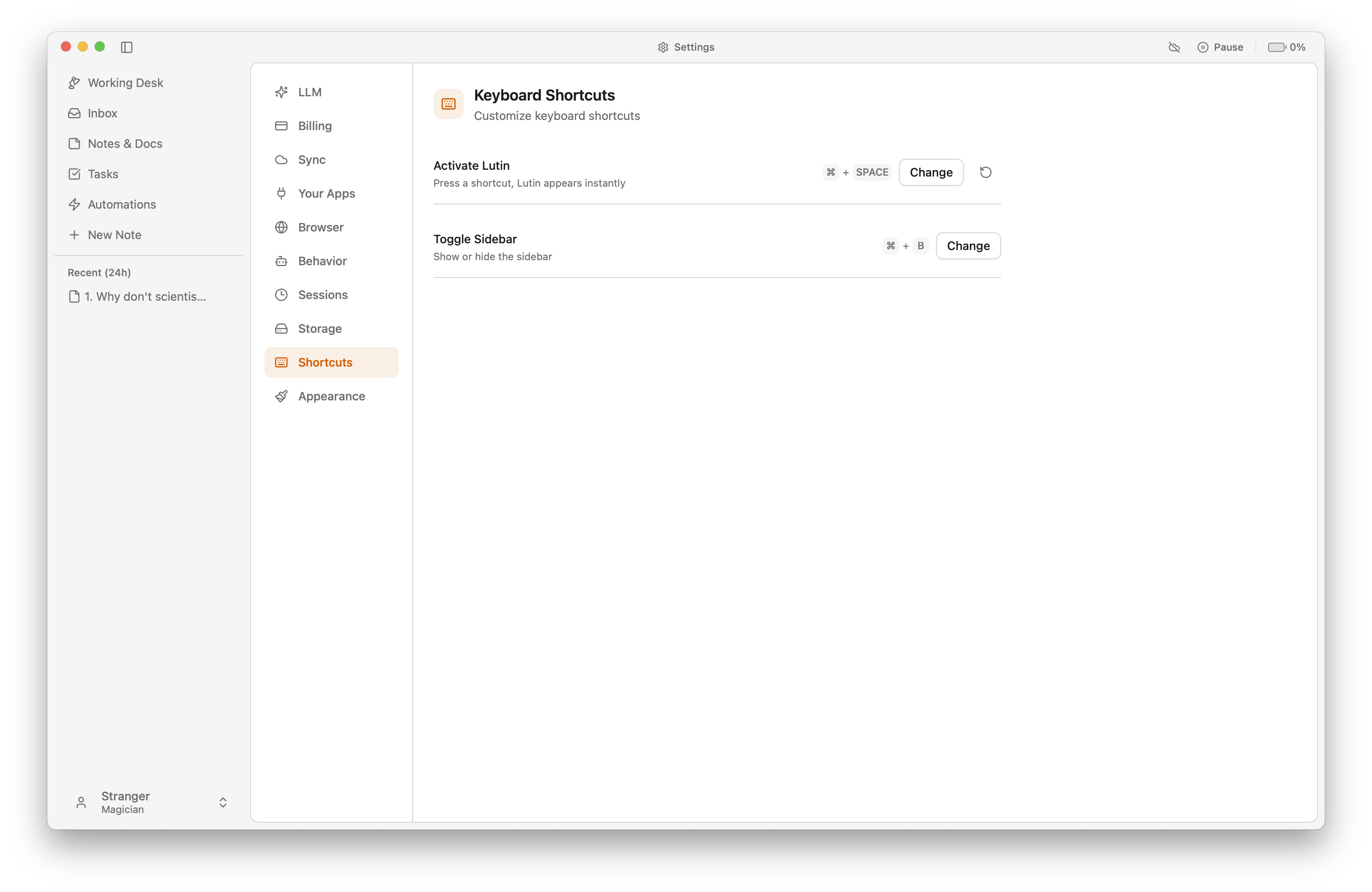
Done. Press Command-Space to invoke Lutin instead of Spotlight.